
Welcome to V Connector
Introduction
Introduction:
In today’s competitive business landscape, managing leads effectively is essential for driving growth and maximizing sales opportunities. Our Lead Management panel offers a seamless way to connect your Facebook account and pages, enabling the effortless integration of leads generated through subscription forms on your pages. By automating lead capture, the panel eliminates manual data entry, ensuring real-time syncing of potential customer information. This streamlined approach empowers businesses to respond quickly to inquiries, nurture leads efficiently, and enhance overall conversion rates.
Key Features of Lead Management:
- Facebook Integration: Connect your Facebook account and pages to fetch leads generated through subscription forms effortlessly.
- Real-Time Sync: Automatically synchronize leads from Facebook to your Lead Management panel to ensure no lead is missed.
- CRM Integration: Seamlessly integrate your leads into your preferred Customer Relationship Management (CRM) system using our API.
- Enhanced Lead Tracking: Monitor and manage your leads with complete visibility into their status and source.
- Customizable Workflow: Adapt the lead management process to suit your organizational needs and sales strategy.
API Integration for CRM:
If you are using a CRM system, you can integrate it with our Lead Management panel to fetch leads directly into your CRM. Here’s how you can use our API:
Endpoint Details:
URL: https://api.yourdomain.com/leads
Method: POST
Payload Example:
{
	"name": "Karan Shah",
	"mobnumber": "9016008285",
	"secondarymob": "0987654321",
	"email": "shahkaran@example.com",
	"created_time": "2025-01-01T10:00:00Z",
	"form_name": "Lead Form",
	"form_id": "12345",
	"ad_id": "67890",
	"page_id": "54321",
	"lead_gen_id": "98765",
	"additional_info": {
		"source": "Facebook",
		"campaign": "Holiday Promotion"
	}
}
Response Example:
{
	"status": "success",
	"message": "Data received and stored successfully",
	"received_data": {
		"name": "Karan Shah",
		"mobnumber": "9016008285",
		"secondarymob": "0987654321",
		"email": "shahkaran@example.com",
		"created_time": "2025-01-01T10: 00: 00Z",
		"form_name": "Lead Form",
		"form_id": "12345",
		"ad_id": "67890",
		"page_id": "54321",
		"lead_gen_id": "98765",
		"additional_info": {
			"source": "Facebook",
			"campaign": "Holiday Promotion"
		}
	}
}
Steps to Integrate:
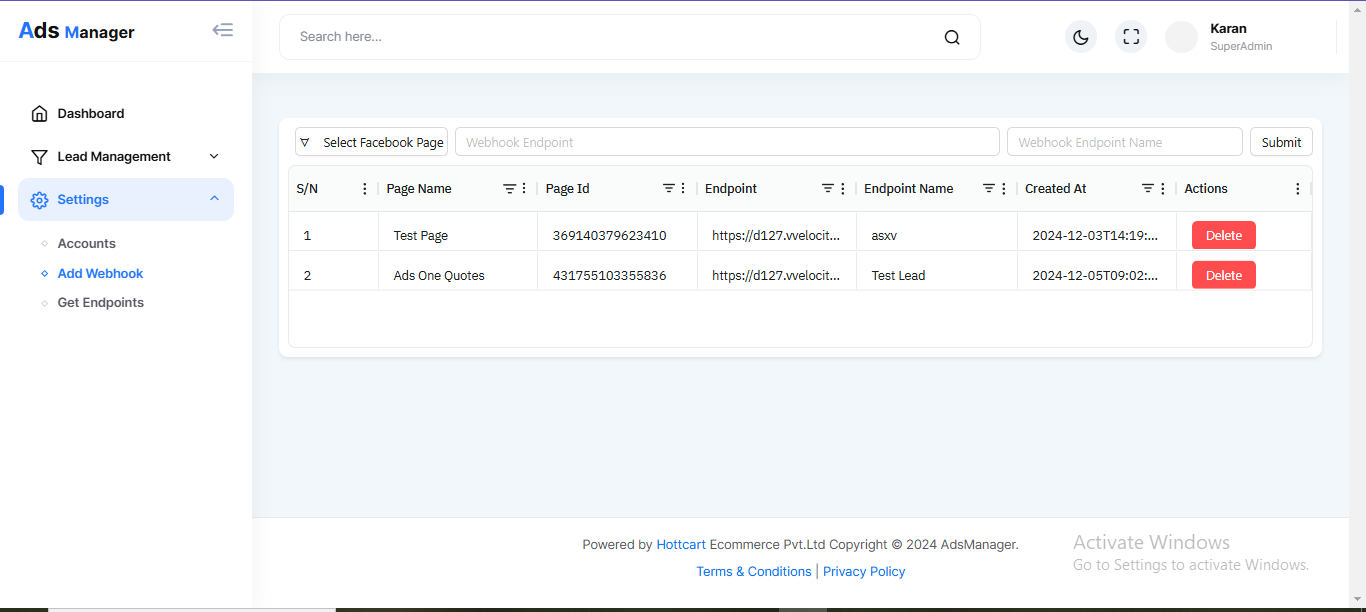
- On left menu setting->Add Webhook
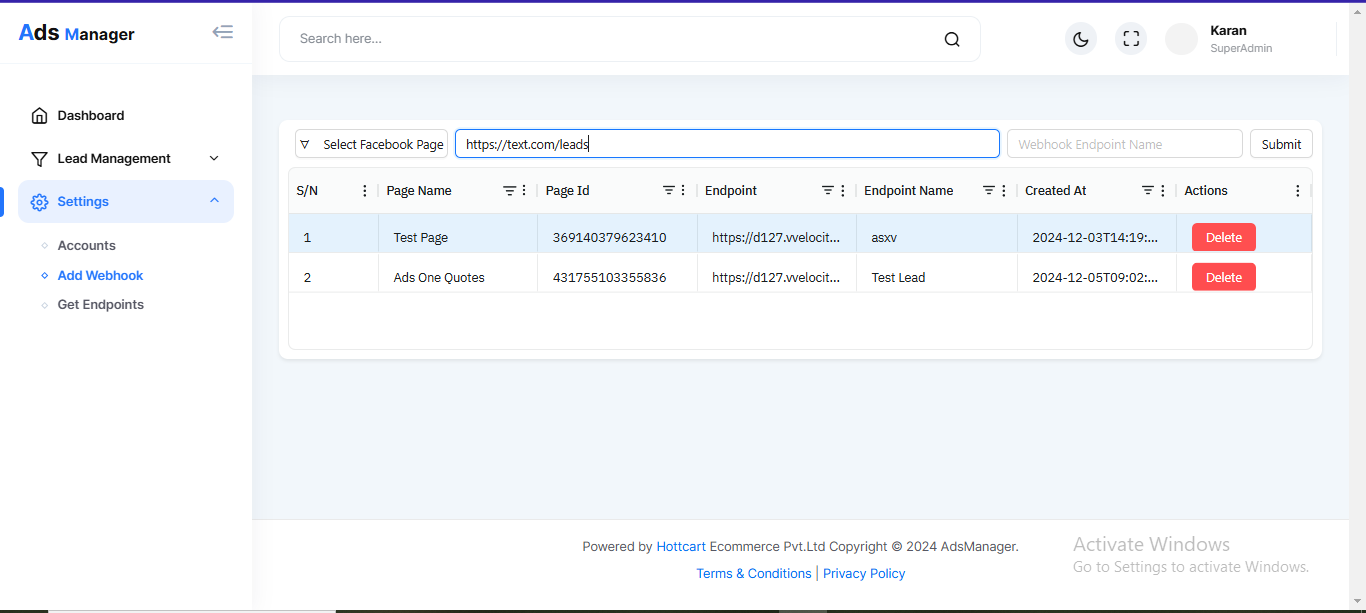
- Configure the endpoint URL in V Connectore
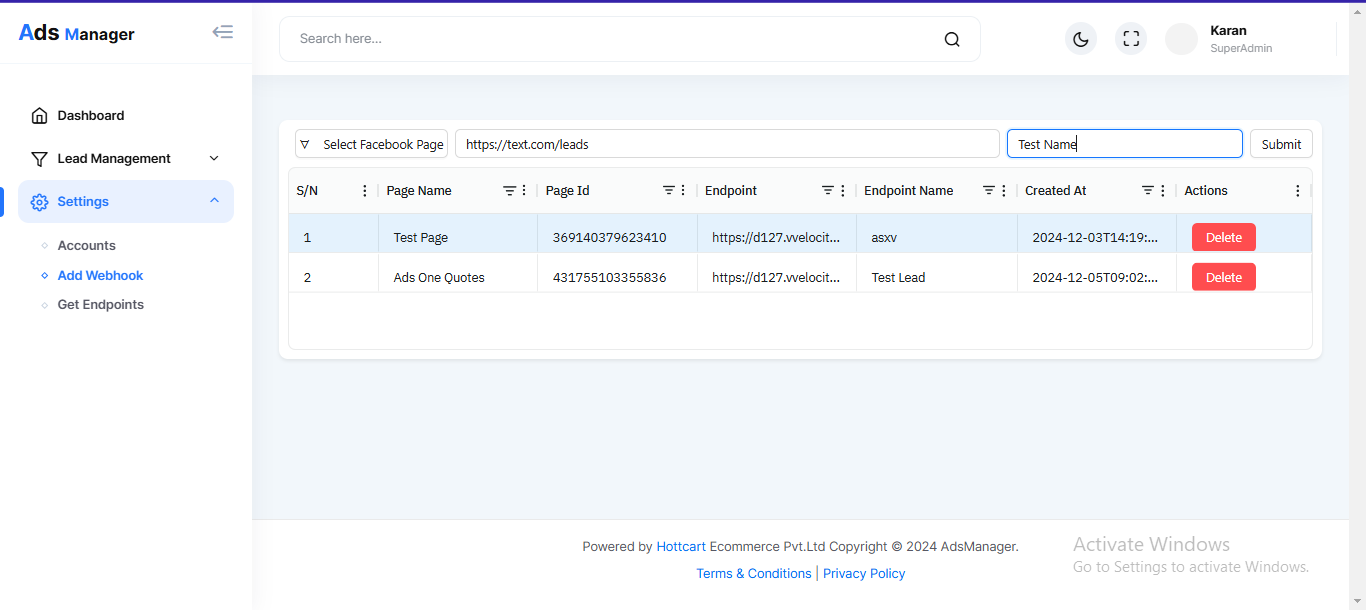
https://api.yourdomain.com/leads. - And submit to add endpoint API
Conclusion:
Our V Connector panel is designed to simplify and enhance your lead management process. By integrating with CRM systems, you can streamline workflows, improve sales efficiency, and unlock greater business potential. Take the first step toward smarter lead management and seamless integration today!
Account
Add Account
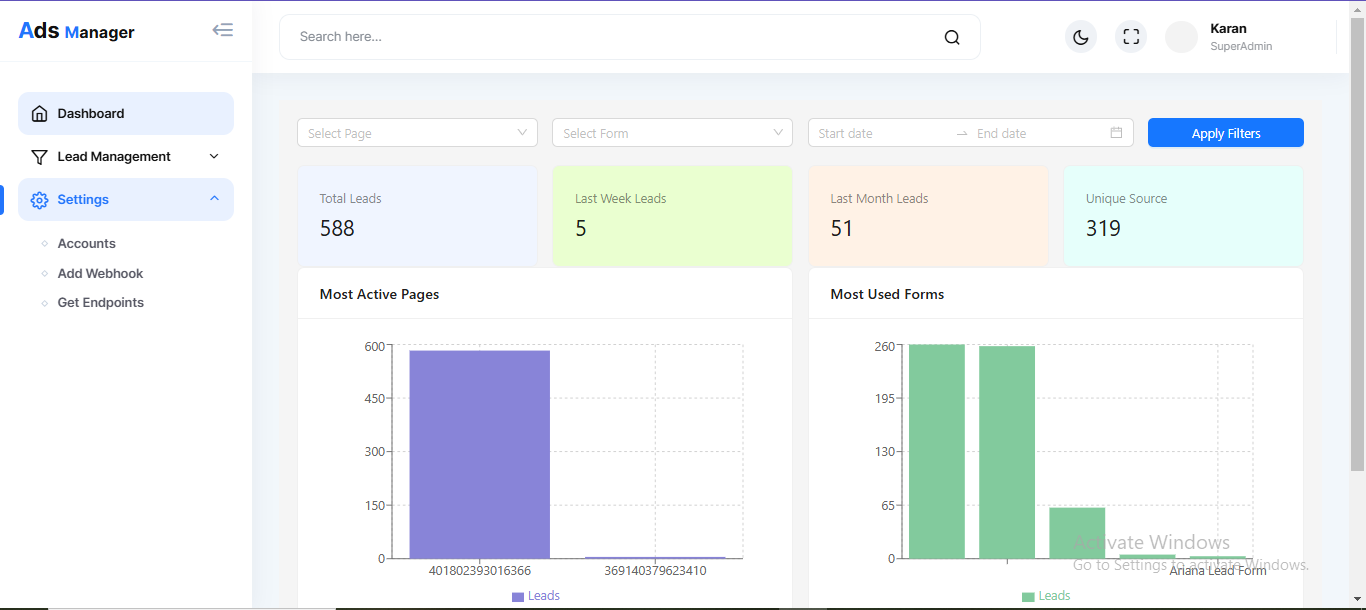
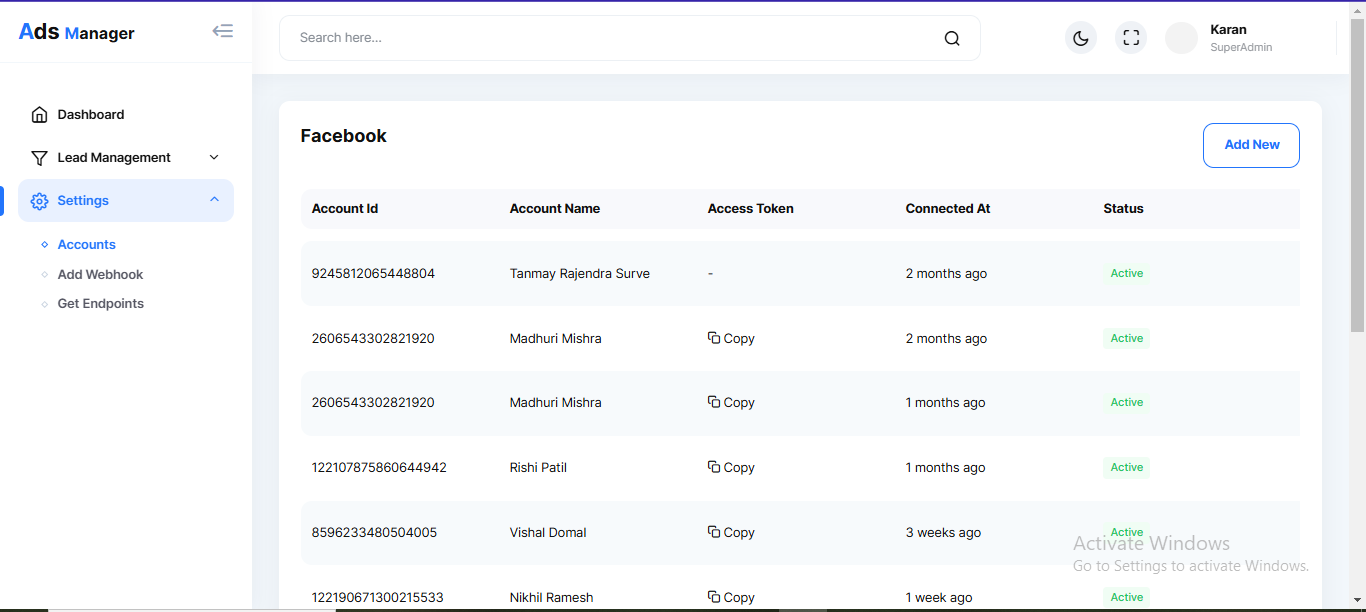
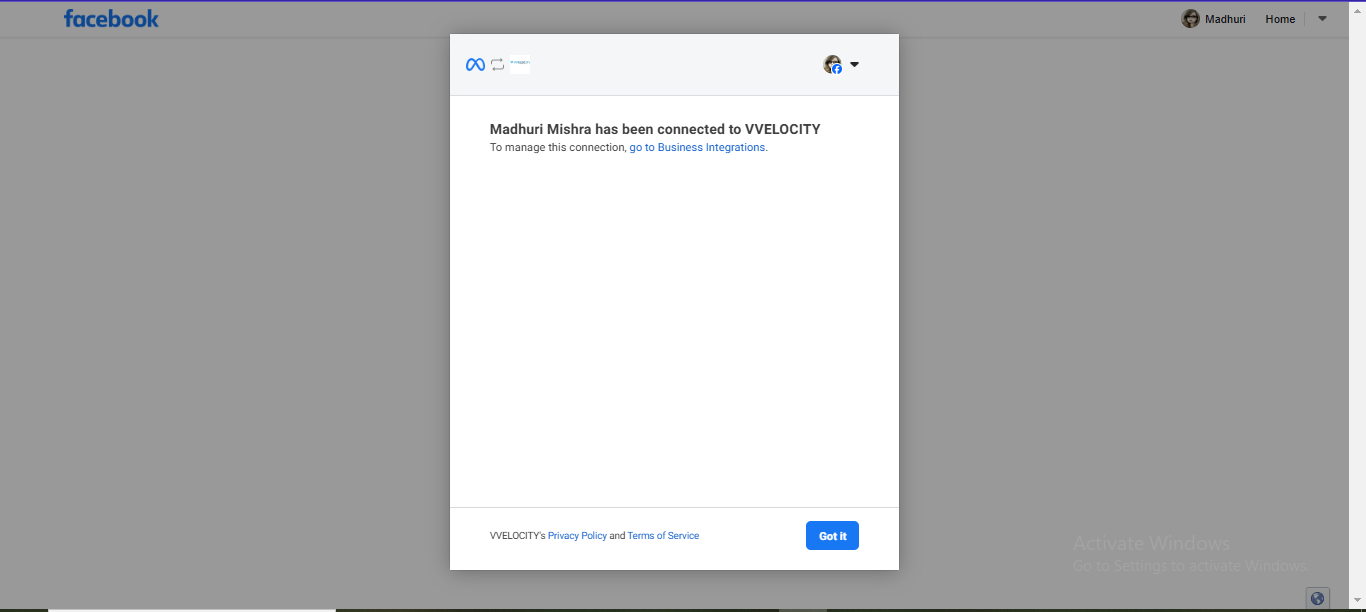
- Navigate to the side menu-bar and select "Setting -> Account".
- Click on "Right Top Add New button".
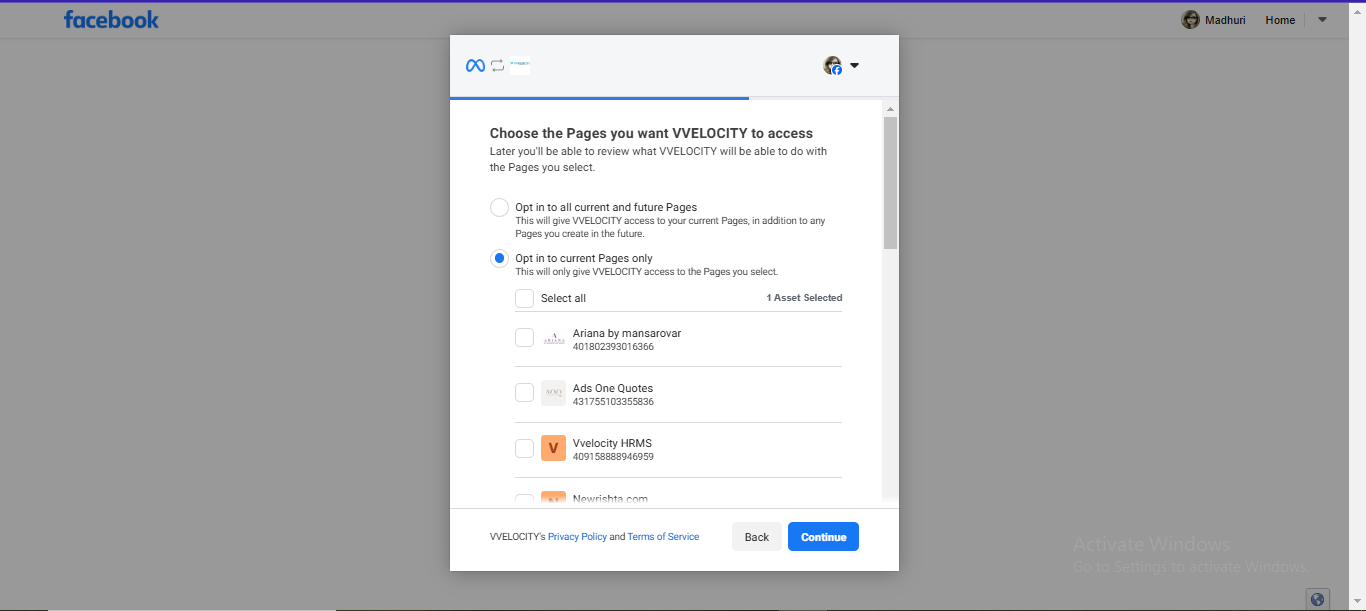
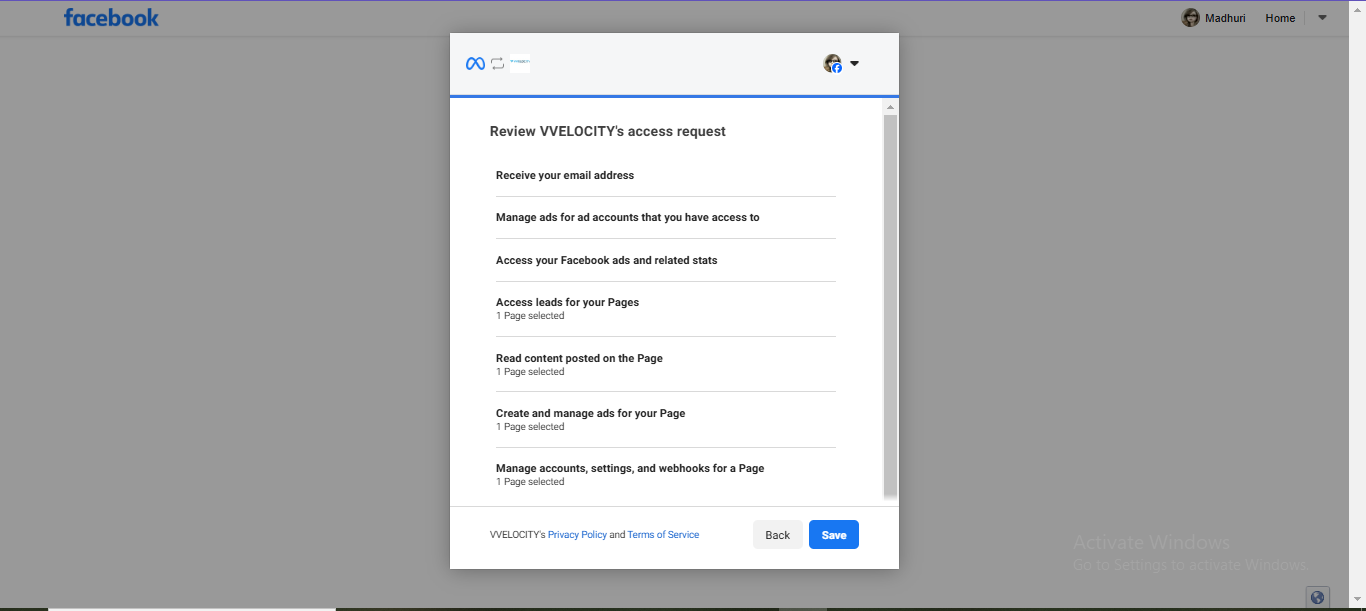
- Give Access facebook page.
- Navigate to the side menu-bar and select "Setting -> Account".
- Click on "Right Top Add New button".
- Give Access facebook page.
Add Webhook
Add Webhook
- Navigate to the side menu-bar and select "Setting -> Add Webhook".
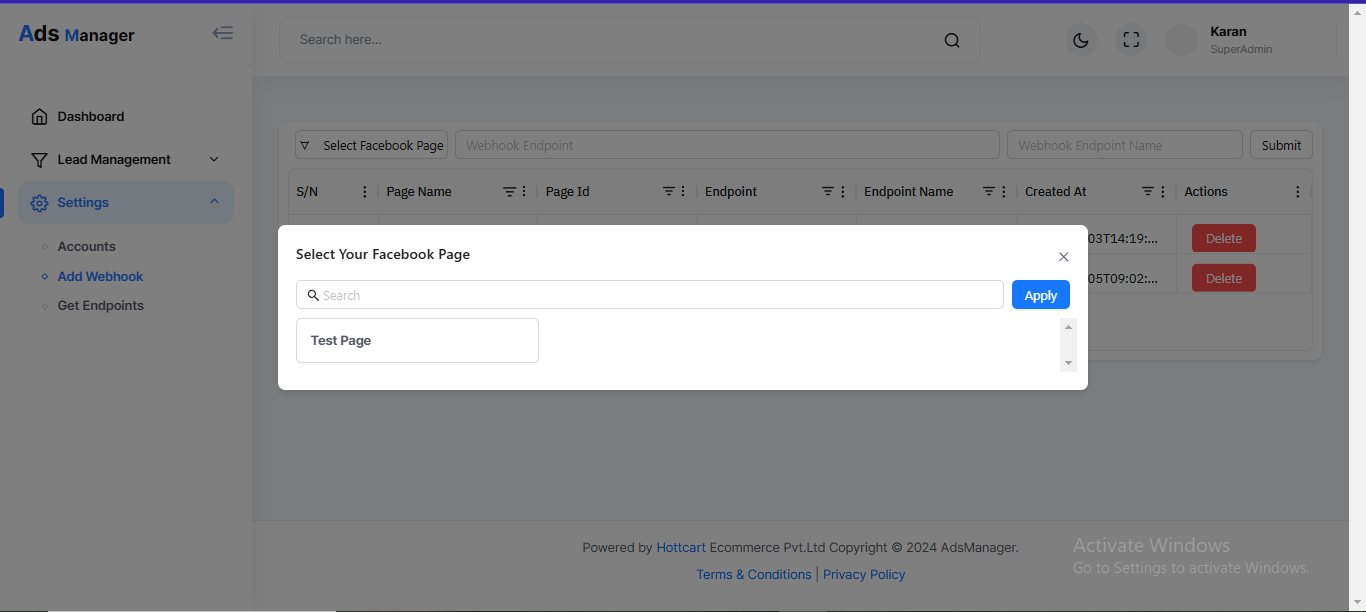
- Click on "Select page on which you have to add".
- Add URL And write Name and click on submit.
- Navigate to the side menu-bar and select "Setting -> Add Webhook".
- Click on "Select page on which you have to add".
- Add URL And write Name and click on submit.